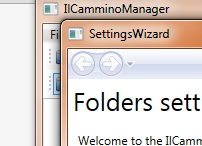
 Dneska vám ukážu kousek kódu z programu IlCamminoManager, konkrétně jeho průvodce nastavením, které má 2 stránky. Mezi těmito stránkami procházíte tak že voláte metodu this.NavigationService.GoBack() pro přechod pomocí tlačítka zpět a naopak metodu this.NavigationService.Navigate() pro přechod vpřed. Navíc můžete díky tomu že celé toto je obalené v objektu NavigationWindow přecházet pomocí dedikovaných tlačítek navigace zpět/vpřed. Celé to funguje tak, že vytvoříte obalující objekt NavigationWindow a k němu neomezené tříd PageFunction, která je generická a její typ je ten, který chcete vrátit do objektu NavigationWindow. Já zde používám výčet WizardResult s 2mi hodnotami – Cancelled a Finished. Ale teď už k kódu. Prvně si vytvoříme pomocný kód, tedy soubor s delegátem kde stačí jediný řádek:
CODEpublic delegate void VoidObject(object o);
Dále je třeba si vytvořit již zmiňovaný výčet WizardResult(tento výčet musí mít za všech okolností nějakou namespace, kterou pak importujete pomocí xmlns: do xaml souboru. Já jsem si tento soubor dal do sdíleného sestavení swf, abych ji mohl používat ve všech projektech):
CODEnamespace swf
{
    public enum WizardResult
    {
        Finished,
        Canceled
    }
}
A nyní už vám tu budu servírovat objekt SettingsWizard odvozený od NavigationWindow a zbylé objekty odvozené od PageFunction
CODE<!--Určitě by bylo fajn nastavit lepší titulek než SettingsWizard, protože tento titulek bude mít okno průvodce v veškerý čas.-->
<NavigationWindow x:Class="IlCamminoManager.SettingsWizard" xmlns="http://schemas.microsoft.com/winfx/2006/xaml/presentation" xmlns:x="http://schemas.microsoft.com/winfx/2006/xaml" Title="SettingsWizard" Height="500" Width="500">
</NavigationWindow>
SettingsWizard.xaml.cs
CODEusing System;
using System.Collections.Generic;
using System.Linq;
using System.Text;
using System.Threading.Tasks;
using System.Windows;
using System.Windows.Controls;
using System.Windows.Data;
using System.Windows.Documents;
using System.Windows.Input;
using System.Windows.Media;
using System.Windows.Media.Imaging;
using System.Windows.Navigation;
using System.Windows.Shapes;
namespace IlCamminoManager
{
    /// <summary>
    /// Jediná spouštěcí/vstupní komponenta, kterou budeme vytvářet když budeme chtít zobrazit nastavovací dialog
    /// </summary>
    public partial class SettingsWizard : NavigationWindow
    {
        /// <summary>
        /// Dokud tuto proměnnou nenastaví metoda launcher_WizardClosing na Finished, průvodce sice půjde zavřít ale s dotazem předtím zda to chceme skutečně udělat
        /// </summary>
        WizardResult wizardResult = WizardResult.Canceled;
        /// <summary>
        /// Vytvořím objekt SettingsWizardLauncher a zobrazím jej v tomto okně metodou Navigate. Tento objekt ale nemá žádné GUI, slouží pouze pro nastavení a přesměrování na skutečnou první stránku průvodce.
        /// </summary>
        public SettingsWizard()
        {
            InitializeComponent();
            //-Vytvořím objekt SettingsWizardLauncher a zaregistruji mu událost WizardClosing, která se bude vyvolávat při kliknutí na tlačítko Finish/Dokončit průvodce
            SettingsWizardLauncher launcher = new SettingsWizardLauncher();
            launcher.WizardClosing += launcher_WizardClosing;
            //-Alternativně bychom mohli použít Return místo WizardClosing
            //launcher.Return += launcher_Return;
            this.Navigate(launcher);
        }
        /// <summary>
        /// Pokud je A1 WizardResult.Finished, znamená to že bylo kliknuto na tlačítko Finish
        /// </summary>
        /// <param name="o">
        void launcher_WizardClosing(object o)
        {
            wizardResult = (WizardResult)o;
            if (wizardResult == WizardResult.Finished)
            {
                Close();
            }
        }
        /// <summary>
        /// Pokud nebylo kliknuto na tlačítko Finish, zobrazím MessageBox, s dotazem zda chci zavřít okno, protože nedokončení průvodce může znamenat nefunkčnost programu.
        /// </summary>
        /// <param name="e">
        protected override void OnClosing(System.ComponentModel.CancelEventArgs e)
        {
            base.OnClosing(e);
            if (wizardResult != WizardResult.Finished)
            {
                MessageBoxResult b = System.Windows.MessageBox.Show("Unfinishing this wizard app crash during runtime or not be available all functions of app", M.ja, MessageBoxButton.OKCancel);
                if (b == MessageBoxResult.OK)
                {
                    return;
                }
                e.Cancel = true;
            }
        }
    }
}
SettingsWizardLauncher.cs
CODEusing System;
using System.Collections.Generic;
using System.Linq;
using System.Text;
using System.Threading.Tasks;
using System.Windows.Navigation;
namespace IlCamminoManager
{
    /// <summary>
    /// Každá stránka navigace musí být odvozena PageFunction.
    /// Objekty PageFunction se vytvářejí vždy, jak při prvním zobrazení, tak při přechodu zpět/vpřed na něj.
    /// Tato stránka pouze přesměruje na další PageFunction a nebude se na ni dát nikdy jinak jak dostat - ani přes navigaci(protože nemá XAML), ani přes btnBack.
    /// </summary>
    class SettingsWizardLauncher : PageFunction<WizardResult>
    {
        public event VoidObject WizardClosing;
        protected override void Start()
        {
            base.Start();
            //-Patrně, pokud nastavíme KeepAlive na True, budeme moci procházet zpět/vpřed ve stránkách bez ztráty dat v nich. Toto se ale nás zde netýká, protože my vždy v konstruktoru stránky odvozené od PageFunction a
            jejich Controls naplňujeme v konstruktoru každé takové PageFunction
            //this.KeepAlive = true;
            SettingsWizardFolders settingsWizardFolders = new SettingsWizardFolders();
            settingsWizardFolders.Return += settingsWizardFolders_Return;
            this.NavigationService.Navigate(settingsWizardFolders);
        }
        void settingsWizardFolders_Return(object sender, ReturnEventArgs<WizardResult> e)
        {
            WizardClosing(e.Result);
            OnReturn(null);
        }
    }
}

SettingsWizardFolders.xaml

 <PageFunction x:Class="IlCamminoManager.SettingsWizardFolders" xmlns="http://schemas.microsoft.com/winfx/2006/xaml/presentation" xmlns:x="http://schemas.microsoft.com/winfx/2006/xaml" xmlns:mc="http://schemas.openxmlformats.org/markup-compatibility/2006" xmlns:d="http://schemas.microsoft.com/expression/blend/2008" xmlns:local="clr-namespace:IlCamminoManager" mc:Ignorable="d" x:TypeArguments="local:WizardResult" xmlns:swf="clr-namespace:swf;assembly=swf" Title="Set folders program">

   <Grid>
       <Grid.RowDefinitions>
           <RowDefinition Height="*"> </RowDefinition>
           <RowDefinition Height="35"> </RowDefinition>
       </Grid.RowDefinitions>

       <StackPanel Orientation="Vertical" Grid.Row="0">
           <TextBlock Margin="5,5,20,5" Text="Folders settings" FontSize="25"> </TextBlock>
           <TextBlock x:Name="tbIntroduction" Margin="10" TextWrapping="Wrap"> </TextBlock>

           <TextBlock TextWrapping="Wrap" Text="Folder where you want to store user application files (for example, when you do not want these files on SSD):" Margin="5"> </TextBlock>
           <swf:SelectFolder x:Name="selectFolderWithApplicationFiles"> </swf:SelectFolder>

           <TextBlock Text="Folder with *.mp3 of Il Cammino files:" Margin="5"> </TextBlock>
           <swf:SelectFolder x:Name="selectFolderWithMp3IlCamminos"> </swf:SelectFolder>

           <TextBlock Text="Folder with *.txt of Il Cammino tracklist files:" Margin="5"> </TextBlock>
           <swf:SelectFolder x:Name="selectFolderWithTracklistIlCamminos"> </swf:SelectFolder>

       </StackPanel>

       <StackPanel Orientation="Horizontal" HorizontalAlignment="Right" Grid.Row="1">
           <Button Margin="5,5,15,5" HorizontalAlignment="Right" Content=" < Back" x:Name="btnBack" Width="70" Height="25" FontSize="15"> </Button>
           <Button Margin="0,5,0,5" HorizontalAlignment="Right" Content="Next >" Width="70" x:Name="btnNext" Height="25" FontSize="15"> </Button>
           <Button Margin="15,5,5,5" HorizontalAlignment="Right" Content="Finish" Width="70" Height="25" x:Name="btnFinish" FontSize="15"> </Button>
       </StackPanel>
   </Grid>
</PageFunction>
SettingsWizardFolders.xaml.cs
CODEusing System;
using System.Collections.Generic;
using System.IO;
using System.Linq;
using System.Text;
using System.Threading.Tasks;
using System.Windows;
using System.Windows.Controls;
using System.Windows.Data;
using System.Windows.Documents;
using System.Windows.Input;
using System.Windows.Media;
using System.Windows.Media.Imaging;
using System.Windows.Navigation;
using System.Windows.Shapes;
namespace IlCamminoManager
{
    /// <summary>
    ///
    /// </summary>
    public partial class SettingsWizardFolders : PageFunction<WizardResult>
    {
        public SettingsWizardFolders()
        {
            InitializeComponent();
            //-btnBack a btnFinish bude vždy false, proto jim nemusíme registrovat handlery
            btnBack.IsEnabled = false;
            btnNext.IsEnabled = false;
            btnNext.Click += btnNext_Click;
            btnFinish.IsEnabled = false;
            tbIntroduction.Text = "Welcome to the " + M.ja + ". This guide, if you lowered yourself, it's because you lack in setting some items. Please complete this wizard program that could work.";
            selectFolderWithApplicationFiles.FolderChanged += selectFolderWithApplicationFiles_FolderChanged;
            selectFolderWithApplicationFiles.SelectedFolder = IlCamminoManagerSettings.FolderWithApplicationFiles;
            if (selectFolderWithApplicationFiles.SelectedFolder == "")
            {
                selectFolderWithApplicationFiles.SelectedFolder = FA.RootFolder;
            }
            selectFolderWithMp3IlCamminos.FolderChanged += selectFolderWithMp3IlCamminos_FolderSelected;
            selectFolderWithMp3IlCamminos.SelectedFolder = IlCamminoManagerSettings.FolderWithFilesOfIlCammino;
            selectFolderWithTracklistIlCamminos.FolderChanged += selectFolderWithTracklistIlCamminos_FolderSelected;
            selectFolderWithTracklistIlCamminos.SelectedFolder = IlCamminoManagerSettings.FolderWithTracklists;
            DisableEnableBtnNext();
        }
        #region Toto nás moc nemusí zajímat, metody měnící nastavení programu a IsEnabled btnNext
        void selectFolderWithApplicationFiles_FolderChanged(string s)
        {
            IlCamminoManagerSettings.FolderWithApplicationFiles = s;
            FA.RootFolder = s;
            DisableEnableBtnNext();
        }
        void selectFolderWithTracklistIlCamminos_FolderSelected(string s)
        {
            IlCamminoManagerSettings.FolderWithTracklists = s;
            DisableEnableBtnNext();
        }
        void selectFolderWithMp3IlCamminos_FolderSelected(string s)
        {
            IlCamminoManagerSettings.FolderWithFilesOfIlCammino = s;
            DisableEnableBtnNext();
        }
        private void DisableEnableBtnNext()
        {
            FA.CreateAppFoldersIfDontExists();
            btnNext.IsEnabled = IsAllRequiredFilled();
        }
        private bool IsAllRequiredFilled()
        {
            if (
            Directory.Exists(selectFolderWithApplicationFiles.SelectedFolder))
            {
                SetIsEnabledOtherFolderSelects(true);
                if (Directory.Exists(selectFolderWithMp3IlCamminos.SelectedFolder))
                {
                    if (Directory.Exists(selectFolderWithTracklistIlCamminos.SelectedFolder))
                    {
                        return true;
                    }
                }
            }
            else
            {
                SetIsEnabledOtherFolderSelects(false);
            }
            return false;
        }
        private void SetIsEnabledOtherFolderSelects(bool p)
        {
            selectFolderWithMp3IlCamminos.IsEnabled = p;
            selectFolderWithTracklistIlCamminos.IsEnabled = p;
        }
        #endregion
        void btnNext_Click(object sender, RoutedEventArgs e)
        {
            //-Tyto 2 řádky můžeme ignorovat
            FA.CreateAppFoldersIfDontExists();
            IlCamminoManagerSettings.ReloadFilePathsOfSettings();
            //-Pokud chci jít na další stránku, musím tento objekt vytvořit vždy úplně nový...
            SettingsWizardPerformance settingsWizardPerformance = new SettingsWizardPerformance();
            settingsWizardPerformance.Return += settingsWizardPerformance_Return;
            //-...a pak na něho zavolat metodu this.NavigationService.Navigate
            this.NavigationService.Navigate(settingsWizardPerformance);
        }
        /// <summary>
        /// Probubláme objekt ReturnEventArgs <WizardResult> výše, až k objektu SettingsWizard
        /// </WizardResult></summary>
        /// <param name="sender">
        /// <param name="e">
        void settingsWizardPerformance_Return(object sender, ReturnEventArgs<WizardResult> e)
        {
            OnReturn(e);
        }
    }
}
SettingsWizardPerformance.xaml
CODE<PageFunction x:Class="IlCamminoManager.SettingsWizardPerformance" xmlns="http://schemas.microsoft.com/winfx/2006/xaml/presentation" xmlns:x="http://schemas.microsoft.com/winfx/2006/xaml" xmlns:mc="http://schemas.openxmlformats.org/markup-compatibility/2006" xmlns:d="http://schemas.microsoft.com/expression/blend/2008" xmlns:local="clr-namespace:IlCamminoManager" mc:Ignorable="d" x:TypeArguments="local:WizardResult" xmlns:swf="clr-namespace:swf;assembly=swf" Title="Settings that affect performance">

   <Grid>
       <Grid.RowDefinitions>
           <RowDefinition Height="*"> </RowDefinition>
           <RowDefinition Height="35"> </RowDefinition>
       </Grid.RowDefinitions>

       <StackPanel Orientation="Vertical" Grid.Row="0">
           <TextBlock Margin="5,5,20,5" Text="Performance settings" FontSize="25"> </TextBlock>
           <CheckBox Content="Search during typing" x:Name="chbSearchDuringTyping" Margin="5"> </CheckBox>

       </StackPanel>

       <StackPanel Orientation="Horizontal" HorizontalAlignment="Right" Grid.Row="1">
           <Button Margin="5,5,15,5" HorizontalAlignment="Right" Content=" < Back" x:Name="btnBack" Width="70" Height="25" FontSize="15"> </Button>
           <Button Margin="0,5,0,5" HorizontalAlignment="Right" Content="Next >" Width="70" x:Name="btnNext" Height="25" FontSize="15"> </Button>
           <Button Margin="15,5,5,5" HorizontalAlignment="Right" Content="Finish" Width="70" Height="25" x:Name="btnFinish" FontSize="15"> </Button>
       </StackPanel>
   </Grid>
</PageFunction>
SettingsWizardPerformance.xaml.cs
CODEusing System;
using System.Collections.Generic;
using System.Linq;
using System.Text;
using System.Threading.Tasks;
using System.Windows;
using System.Windows.Controls;
using System.Windows.Data;
using System.Windows.Documents;
using System.Windows.Input;
using System.Windows.Media;
using System.Windows.Media.Imaging;
using System.Windows.Navigation;
using System.Windows.Shapes;
namespace IlCamminoManager
{
    /// <summary>
    /// Interaction logic for SettingsWizardPerformance.xaml
    /// </summary>
    public partial class SettingsWizardPerformance : PageFunction<WizardResult>
    {
        public SettingsWizardPerformance()
        {
            InitializeComponent();
            //-Jsme na poslední stránce, můžeme jít zpět nebo dokončit průvodce ale nemůžeme jít dopředu
            btnBack.Click += btnBack_Click;
            btnNext.IsEnabled = false;
            btnFinish.Click += btnFinish_Click;
            chbSearchDuringTyping.IsChecked = IlCamminoManagerSettings.SearchDuringTyping;
            chbSearchDuringTyping.Checked += chbSearchDuringTyping_Checked;
        }
        void chbSearchDuringTyping_Checked(object sender, RoutedEventArgs e)
        {
            IlCamminoManagerSettings.SearchDuringTyping = (bool)chbSearchDuringTyping.IsChecked;
        }
        /// <summary>
        /// Zde vytvoříme a vrátíme objekt WizardResult.Finished, který pak probublá v ReturnEventArgs <WizardResult> až do objektu SettingsWizard typu NavigationWindow
        /// </WizardResult></summary>
        /// <param name="sender">
        /// <param name="e">
        void btnFinish_Click(object sender, RoutedEventArgs e)
        {
            OnReturn(new ReturnEventArgs<WizardResult>(WizardResult.Finished));
        }
        void btnBack_Click(object sender, RoutedEventArgs e)
        {
            this.NavigationService.GoBack();
        }
    }
}